A
Facts and assumptions stay separate
Assessment, zoning and tax records remain distinct from saved price, income, debt and currency inputs.
Canadian commercial property evaluation
Join betaVANCOUVER · KOREAN–ENGLISH · COMMERCIAL PROPERTY
Vianture organizes public property context, CAD/KRW underwriting, evidence and professional review around one commercial-property decision.
01
A CLEARER STARTING POINT
Commercial-property evaluation usually moves between public records, working assumptions, documents and professional questions. Vianture gives that work one structured home before a direction is recorded.
THE CORE PRODUCT
Each case keeps selected property facts distinct from saved price, rent, debt and currency assumptions. The same record carries the comparison into evidence, readiness and adviser review.
View the evaluation dashboard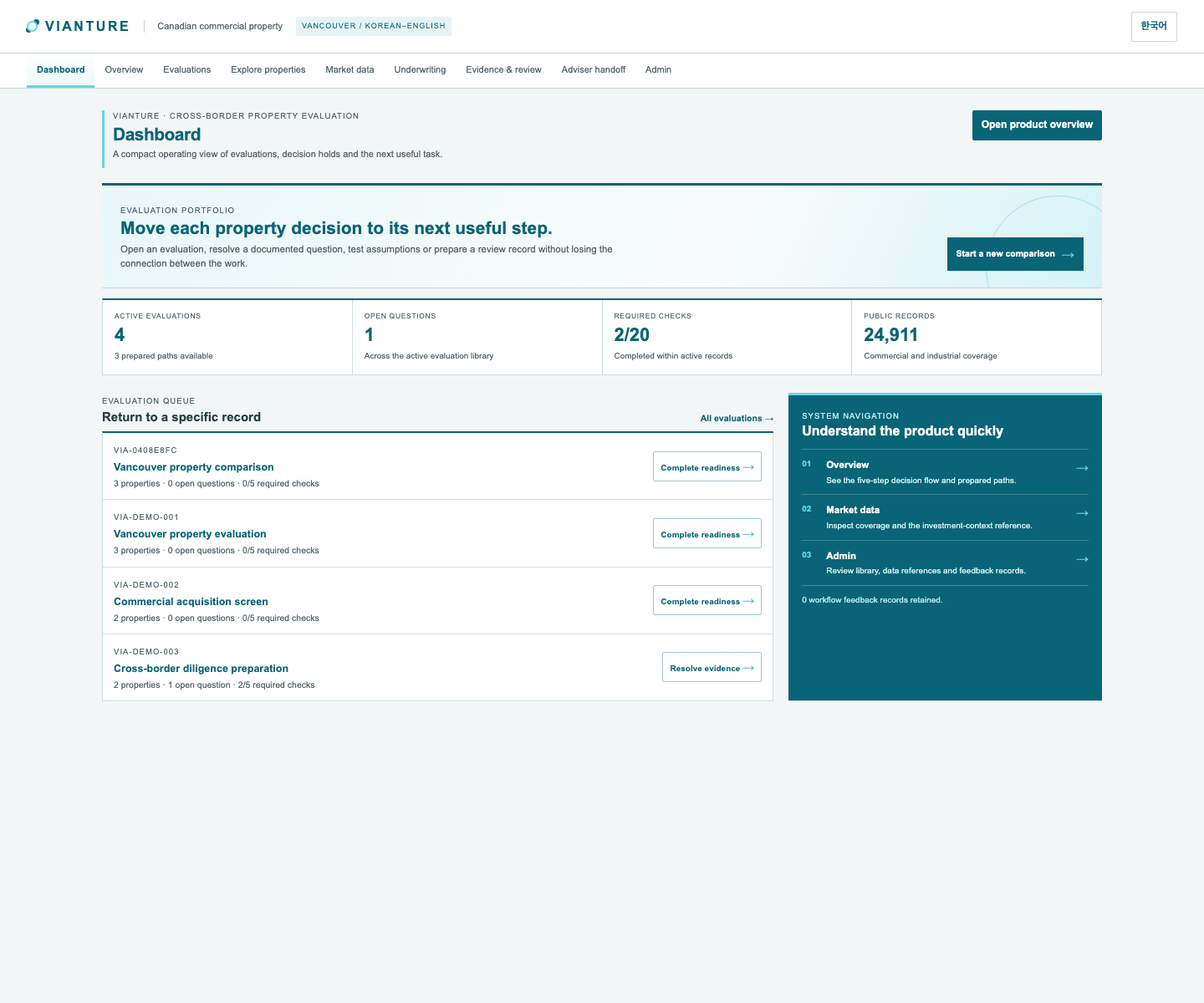
THE CASE, IN ORDER
Search public Vancouver assessment and tax records, then select two or three candidates for one case.
Save price, income, financing and CAD/KRW inputs beside each selected property.
Connect source dates, evidence, readiness checks and questions that need professional review.
Prepare a focused handoff with the selected properties, assumptions and unresolved items in view.
CURRENT PUBLIC-RECORD COVERAGE
Vianture keeps these source facts separate from investment assumptions so an evaluator can see what is public record and what has been entered for the case.
Explore market dataWHAT THE RECORD HOLDS
A
Assessment, zoning and tax records remain distinct from saved price, income, debt and currency inputs.
B
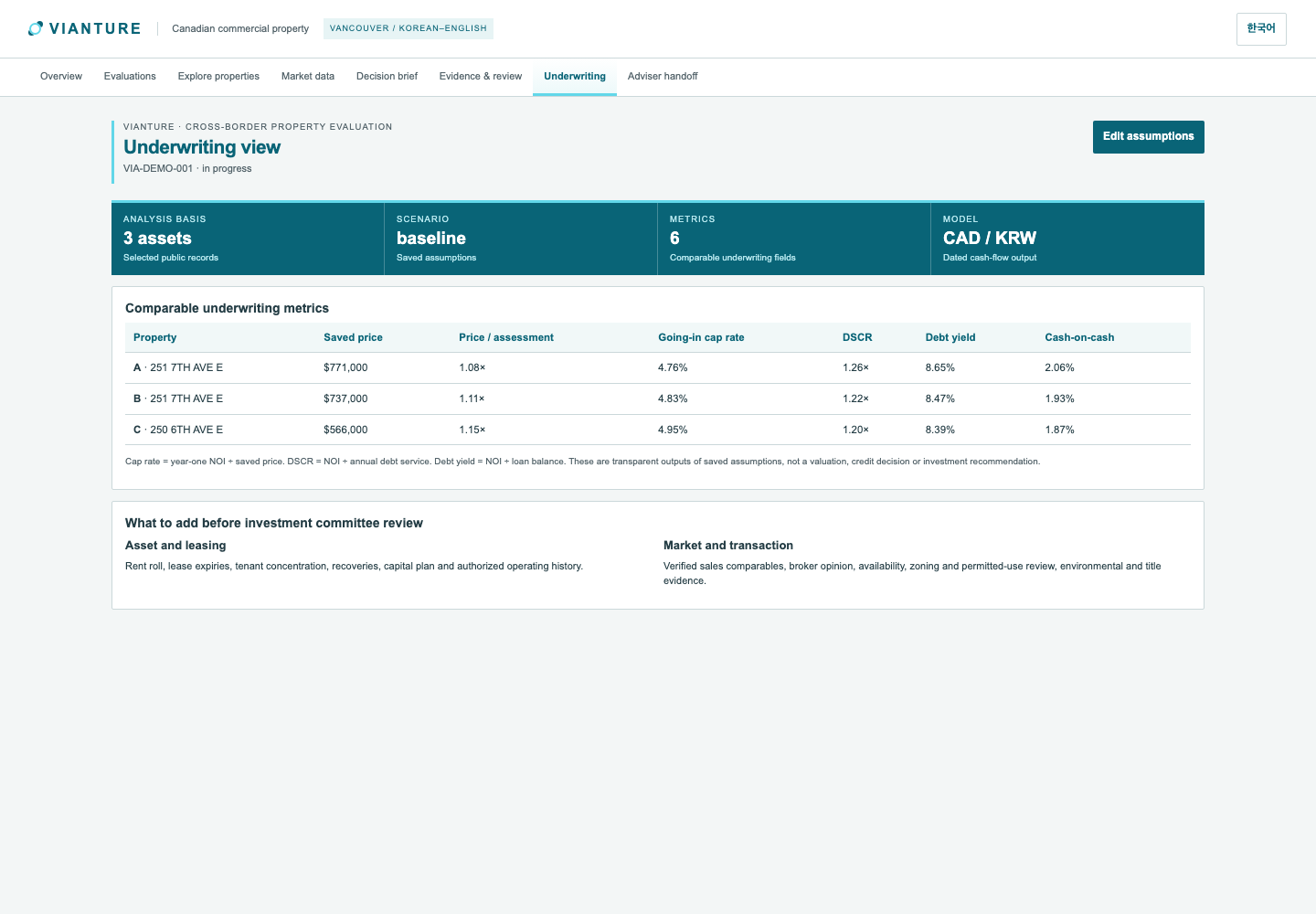
Scenario outputs are calculated from the selected properties and the saved decision-currency inputs.
C
Evidence questions and readiness checks are attached to the case before a direction is recorded.
WHY THIS WORKFLOW
Locate a listing or expose public information, but do not retain the full case, review questions and decision trail.
Model inputs and communicate questions, while source context and later changes can become fragmented across files and threads.
Surface market information, but do not create a case-specific record that carries selected properties into review and export.
Connects public-record screening, CAD/KRW scenarios, evidence, readiness and adviser handoff in a single property evaluation record.
THREE DECISION MOMENTS
01
02
03
VIANTURE RESOURCES
Set the decision currency, keep the FX assumption visible and compare each scenario from the same selected properties.
Use public assessment, zoning and tax fields as a starting point, then add transaction and operating inputs to the case.
See how cap rate, DSCR, debt yield and cash-on-cash connect back to saved price, income and financing inputs.
A MORE ORDERLY PROPERTY DECISION